> ## Documentation Index
> Fetch the complete documentation index at: https://docs.gable.ai/llms.txt
> Use this file to discover all available pages before exploring further.
# Data Tagging
> How Gable tags sensitive fields, and how to review and manage tags on your data
Data tags label the fields in your lineage with their sensitivity or meaning — for example, marking a field as containing personal information. Gable applies some tags automatically and lets you add your own, so you can see where sensitive data lives and track it across your services.
A tag attaches to a field's underlying address, so once a field is tagged it shows that tag everywhere the field appears in lineage — not just in one mapping.
## System-generated PII tags
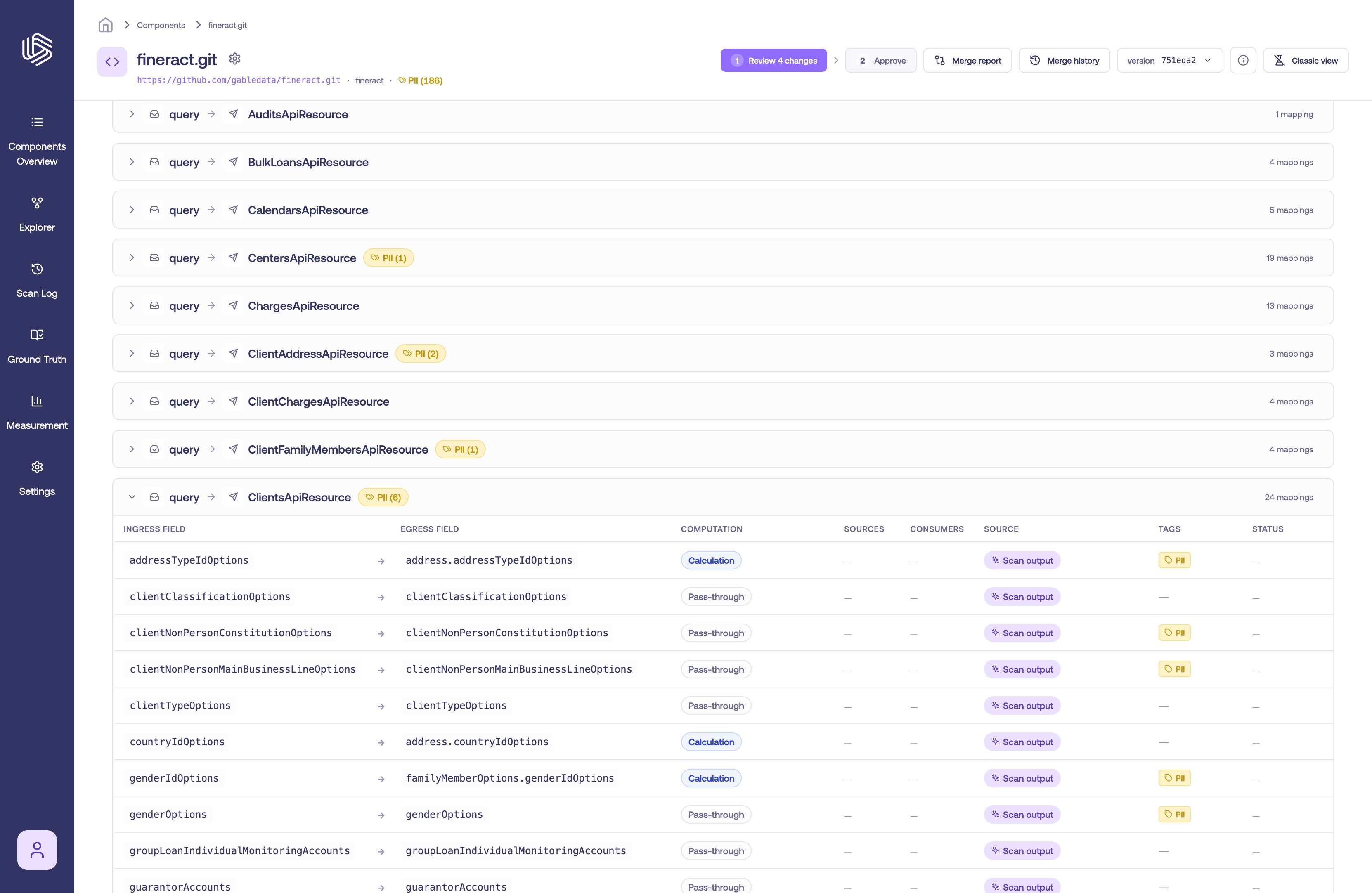
When Gable analyzes a service, it inspects each field and automatically applies a built-in **PII** tag to fields that appear to contain personal information (for example, fields that look like an email address, social security number, or credit card number). These system-generated tags require no setup — they appear on matching fields as soon as the component is scanned.
System-generated tags are shown as tag chips on the field, the same as tags you add yourself. Hover a chip to see whether it was applied by Gable or by a person.
 ## Tag categories
Gable includes a set of built-in tags you can apply:
* **PII** — personal information (also applied automatically, as described above)
* **PHI** — protected health information
* **PIFI** — personal financial information
* **Secret** — secrets and credentials
Your organization can also create its own tags with a custom name, color, and description. Only the **PII** tag is applied automatically; the others are available for you to apply.
## Tag a field
Tags are managed on the field's card in the **Component Details** page.
1. Open **Component Details** for the component and locate the field (on an ingress or egress payload).
2. In the field's **Tags** row, select the **Tag** button.
3. In the tag picker, search for a tag and select it to apply. To create a new tag for your organization, select **Create new tag** and fill in the tag's details.
## Tag categories
Gable includes a set of built-in tags you can apply:
* **PII** — personal information (also applied automatically, as described above)
* **PHI** — protected health information
* **PIFI** — personal financial information
* **Secret** — secrets and credentials
Your organization can also create its own tags with a custom name, color, and description. Only the **PII** tag is applied automatically; the others are available for you to apply.
## Tag a field
Tags are managed on the field's card in the **Component Details** page.
1. Open **Component Details** for the component and locate the field (on an ingress or egress payload).
2. In the field's **Tags** row, select the **Tag** button.
3. In the tag picker, search for a tag and select it to apply. To create a new tag for your organization, select **Create new tag** and fill in the tag's details.
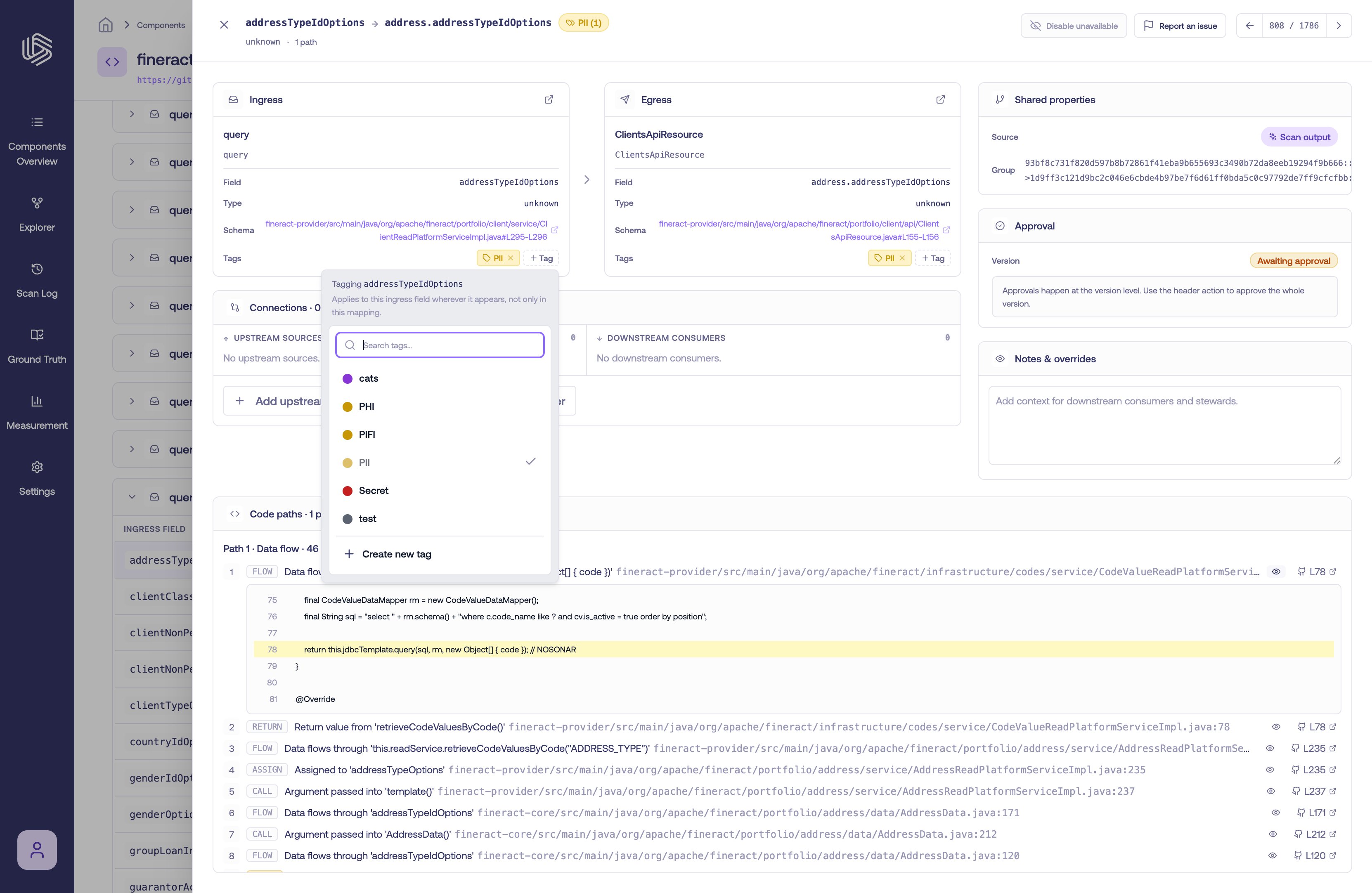 Because a tag applies to the field wherever it appears, tagging a field once carries the tag across every mapping that field feeds.
## Remove a tag
To remove a tag from a field, select the **×** on the tag chip. System-generated tags can be removed the same way if they don't apply.
## Where tags appear
Once fields are tagged, tags surface across the Component Details page so you can find sensitive data quickly:
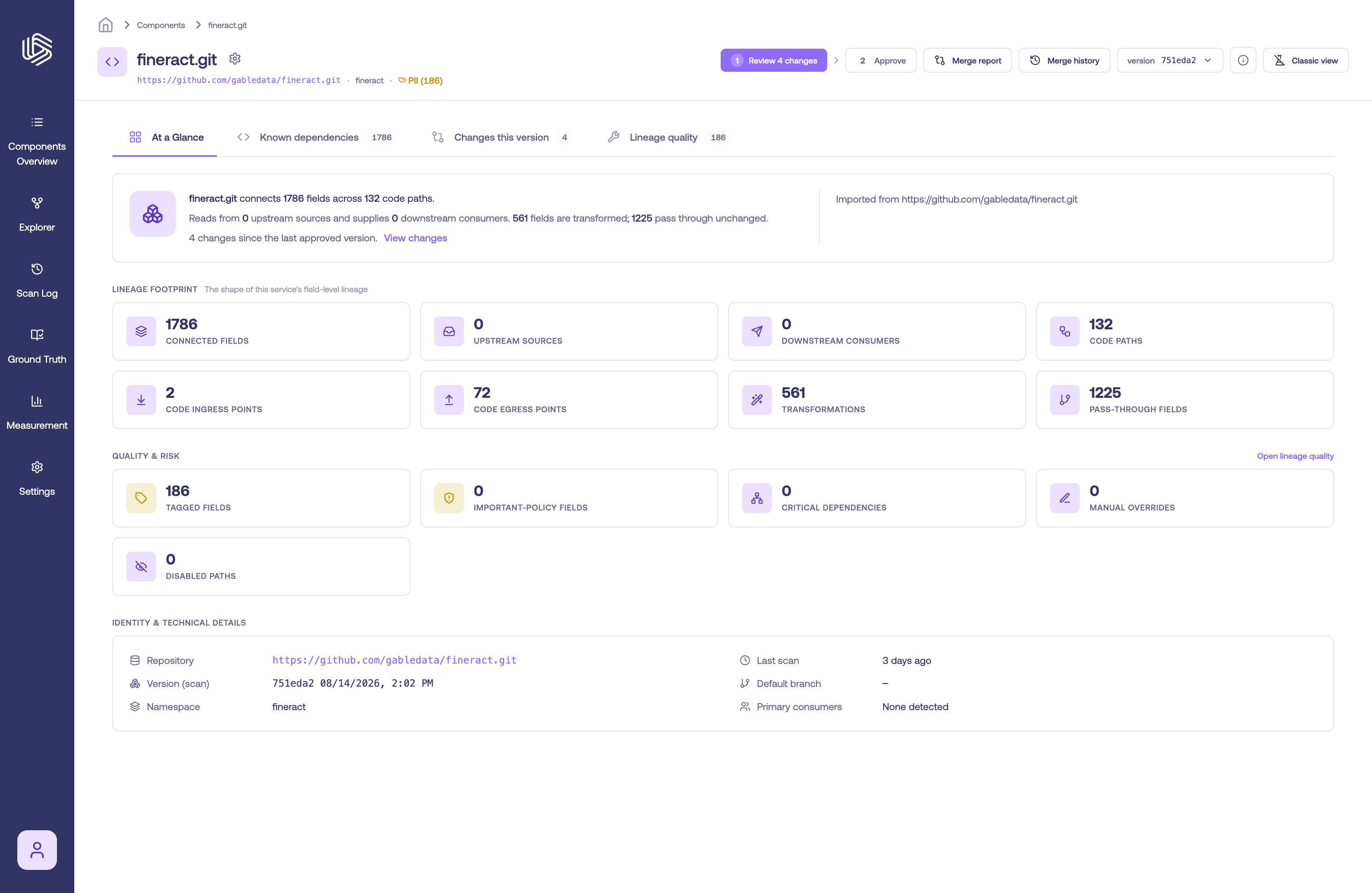
* **Header summary** — a count of tagged fields for the component.
* **Known dependencies** — a **Tags** column on the field-mapping table.
* **Tag filter** — filter the mappings down to those carrying a specific tag.
* **Lineage quality** — a **Tagged fields** metric.
Because a tag applies to the field wherever it appears, tagging a field once carries the tag across every mapping that field feeds.
## Remove a tag
To remove a tag from a field, select the **×** on the tag chip. System-generated tags can be removed the same way if they don't apply.
## Where tags appear
Once fields are tagged, tags surface across the Component Details page so you can find sensitive data quickly:
* **Header summary** — a count of tagged fields for the component.
* **Known dependencies** — a **Tags** column on the field-mapping table.
* **Tag filter** — filter the mappings down to those carrying a specific tag.
* **Lineage quality** — a **Tagged fields** metric.
 Tagging sensitive fields makes it easier to trace regulated data and assemble evidence — see [Generating Compliance Evidence](/docs/tracing/compliance-evidence).