> ## Documentation Index
> Fetch the complete documentation index at: https://docs.gable.ai/llms.txt
> Use this file to discover all available pages before exploring further.
# Tracing Data Lineage
> Follow a field across services and data stores in the Lineage Explorer
Gable analyzes your services' source code to discover how data moves within each service — from the ingresses where data enters, through the transformations in code, to the egresses where it leaves. Combined with cross-service edges, those in-service paths chain together into **end-to-end lineage**: a field can be traced from where it originates, across every service and data store it passes through, to where it is finally consumed.
Use the **Lineage Explorer** to navigate that graph.
## Open the Lineage Explorer
The Lineage Explorer shows your components — services and data stores — connected by cross-service edges. The graph loads the component topology first, then fills in field-level details in the background.
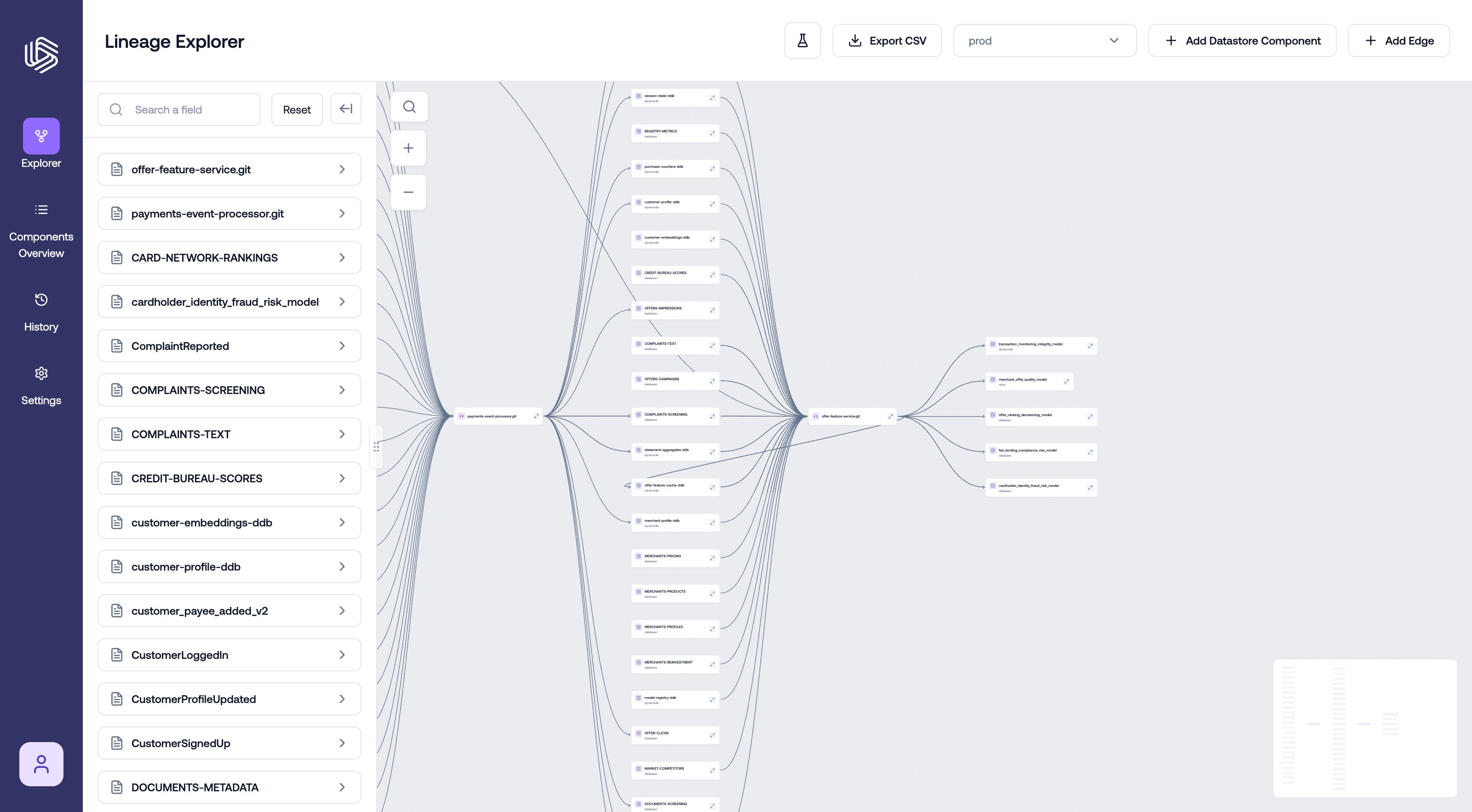 Each service shows its ingresses and egresses; each data store shows its schema. If friendly names have been configured, they are shown alongside the underlying signature names.
## Trace a field
1. Open the field search sidebar and search for the field you want to trace.
2. Select the field from the results. You can select multiple fields to trace them together.
3. The graph filters to the selected fields, showing the field-level connections between components — which upstream fields feed the selection, and which downstream fields consume it.
Each service shows its ingresses and egresses; each data store shows its schema. If friendly names have been configured, they are shown alongside the underlying signature names.
## Trace a field
1. Open the field search sidebar and search for the field you want to trace.
2. Select the field from the results. You can select multiple fields to trace them together.
3. The graph filters to the selected fields, showing the field-level connections between components — which upstream fields feed the selection, and which downstream fields consume it.
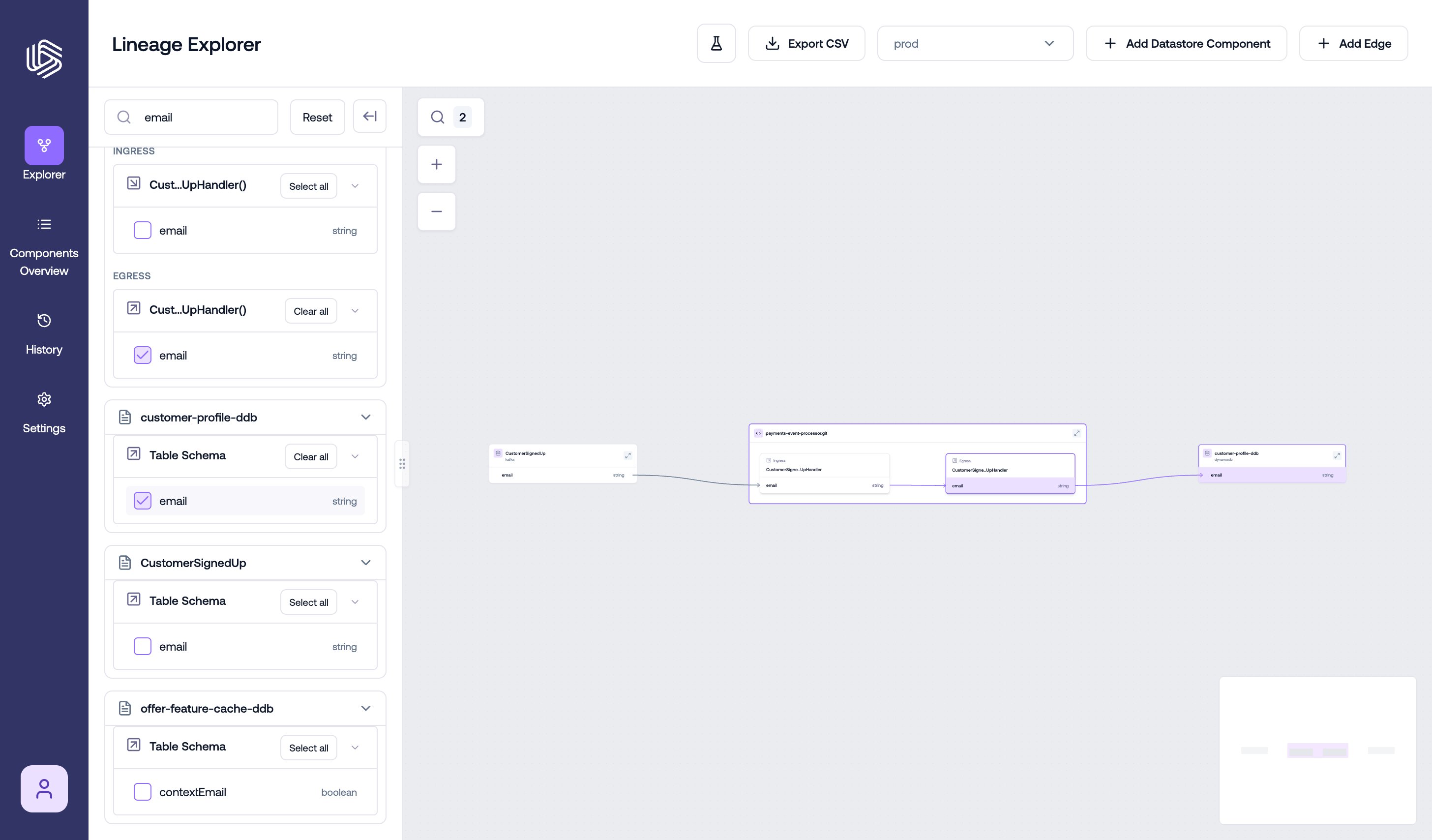 Follow the connections hop by hop:
* an **egress** field on one service connects to an **ingress** field on another service, or to a data store column
* within a service, ingress fields connect to egress fields through the service's internal paths
Your field selection is reflected in the page URL, so you can share a link that reproduces the exact trace you are looking at.
## Inspect a step in the path
To understand *how* a service transforms the data, open the component's details:
1. Select the service in the Lineage Explorer and expand it to open **Component Details**.
2. Review the paths that connect the relevant ingress to the relevant egress.
3. Select a path to see its ingress schema, egress schema, and field mappings.
4. Select a field mapping to see the **Field Data Flow** — the steps the value takes through the code.
Follow the connections hop by hop:
* an **egress** field on one service connects to an **ingress** field on another service, or to a data store column
* within a service, ingress fields connect to egress fields through the service's internal paths
Your field selection is reflected in the page URL, so you can share a link that reproduces the exact trace you are looking at.
## Inspect a step in the path
To understand *how* a service transforms the data, open the component's details:
1. Select the service in the Lineage Explorer and expand it to open **Component Details**.
2. Review the paths that connect the relevant ingress to the relevant egress.
3. Select a path to see its ingress schema, egress schema, and field mappings.
4. Select a field mapping to see the **Field Data Flow** — the steps the value takes through the code.
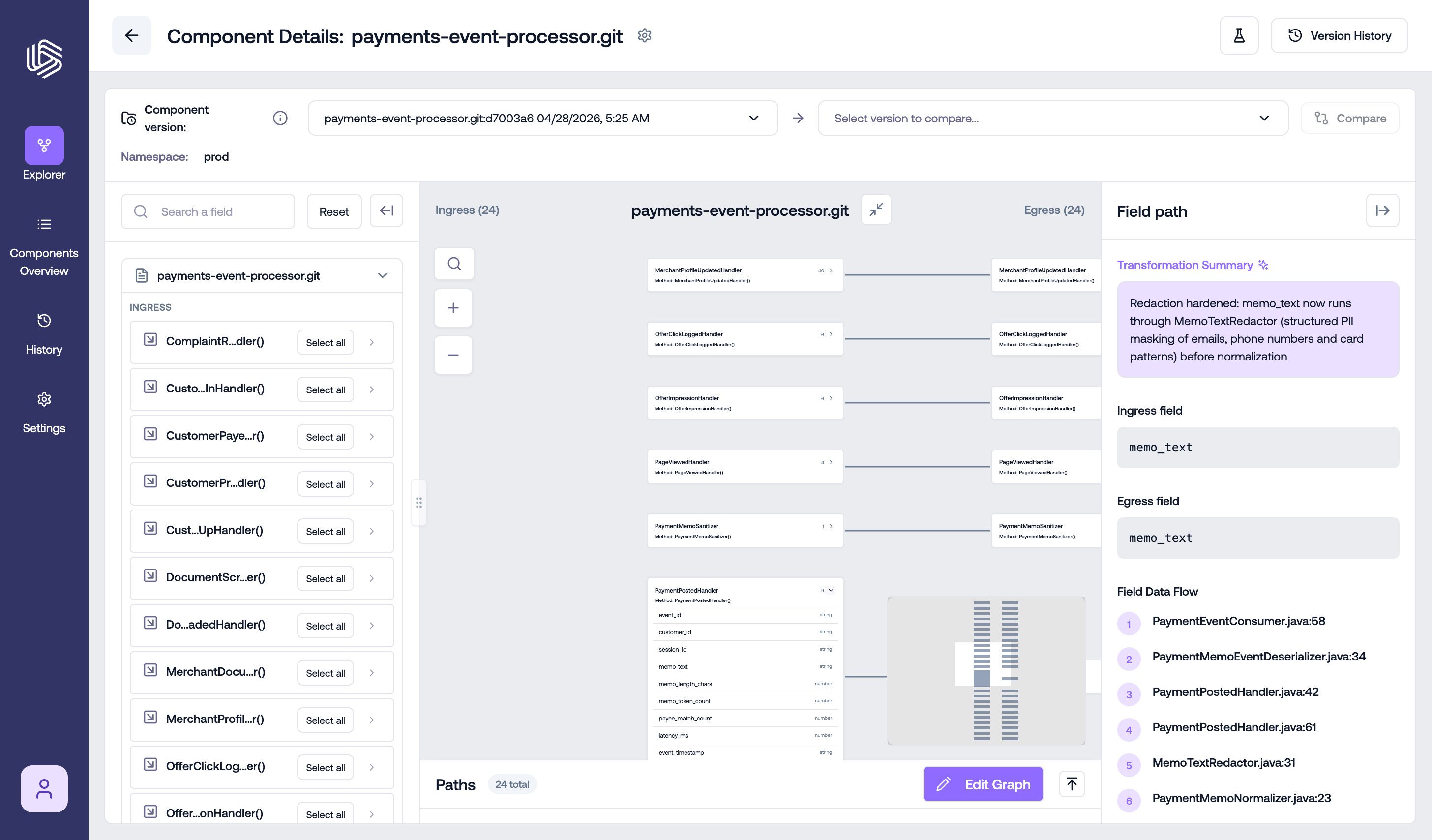 To inspect a cross-service connection, select the edge in the graph. The **Edge Details** panel shows every field mapping the edge carries. See [Dependencies (Cross-Service Edges)](/docs/onboarding/dependencies) for managing edges.
## Next steps
* Export the trace for reporting or review — see [Exporting Lineage](/docs/tracing/exporting-lineage).
* Understand how lineage changed between versions — see [Comparing Lineage Versions](/docs/impact/comparing-lineage-versions).
* If a trace doesn't match your expectations, see [Understanding the Source of Lineage Issues](/docs/troubleshooting/lineage-issues).
To inspect a cross-service connection, select the edge in the graph. The **Edge Details** panel shows every field mapping the edge carries. See [Dependencies (Cross-Service Edges)](/docs/onboarding/dependencies) for managing edges.
## Next steps
* Export the trace for reporting or review — see [Exporting Lineage](/docs/tracing/exporting-lineage).
* Understand how lineage changed between versions — see [Comparing Lineage Versions](/docs/impact/comparing-lineage-versions).
* If a trace doesn't match your expectations, see [Understanding the Source of Lineage Issues](/docs/troubleshooting/lineage-issues).