

Approve a version
Approvals are managed from the header of the Component Details page, for the version currently selected in the version selector.- Open Component Details for the component and select the version you want to review.
- Select Review changes to step through what changed in this version. Once you’ve reviewed, the control advances to the approve step.
- Select Approve version.
- In the Approve lineage version for publish dialog, optionally add an approval note summarizing what you reviewed and why you’re approving, then confirm.
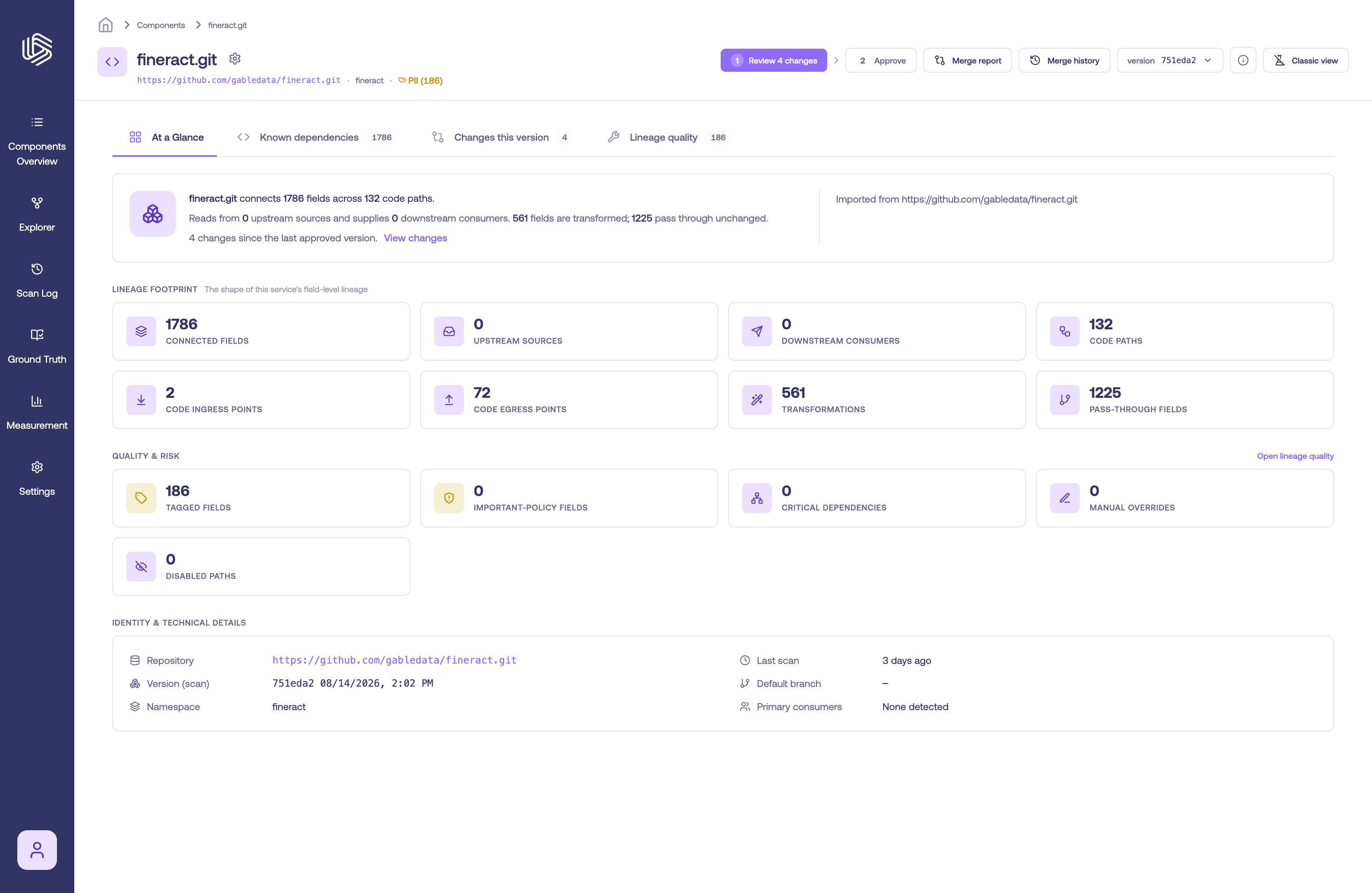
The review and approve control on the Component Details header
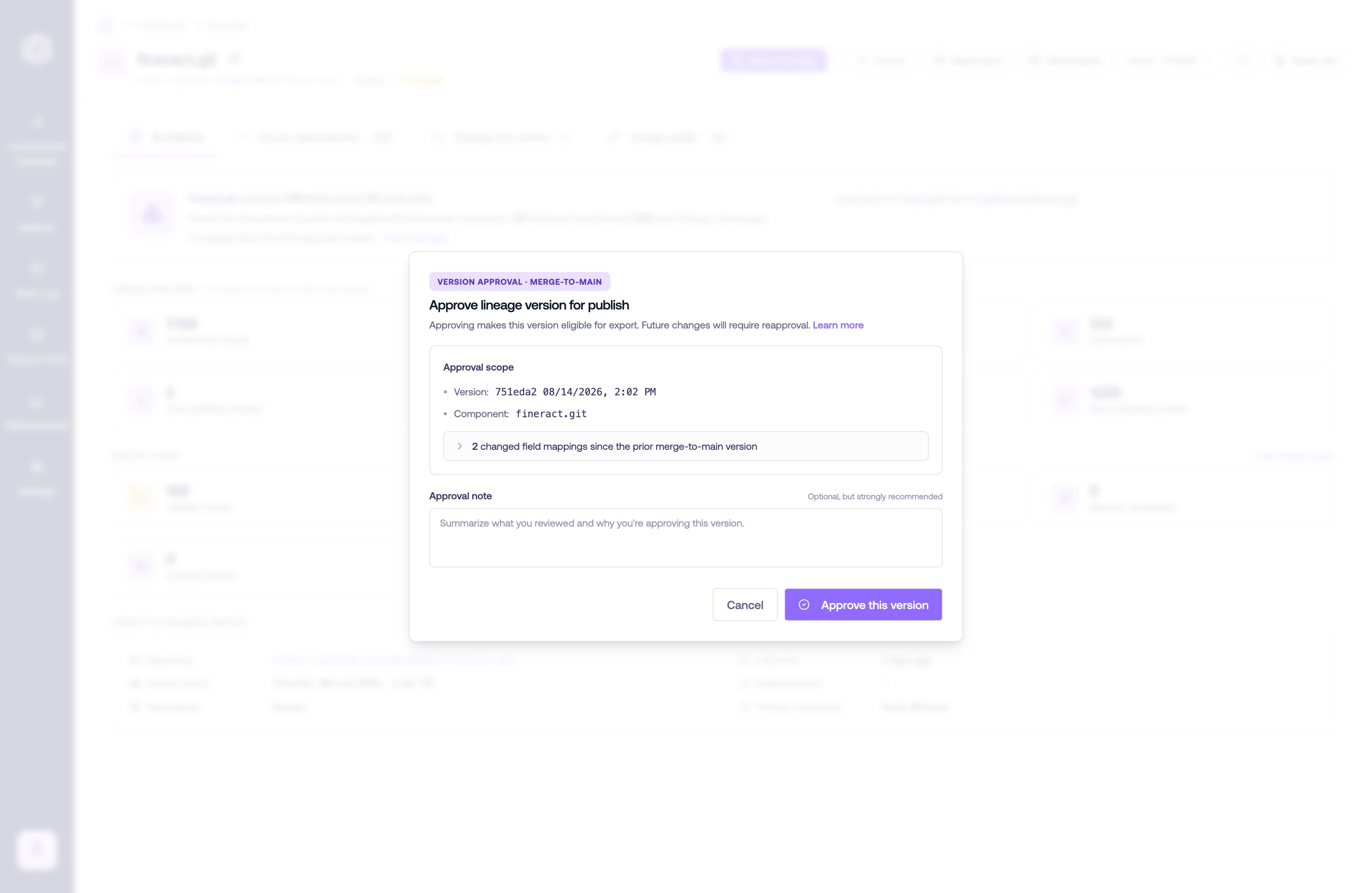
The approve dialog
Approval states
A version’s approval state is shown on the Component Details header, in the version selector, and on the Lineage quality tab:- Approved — the version has been reviewed and approved. It is eligible for export.
- Changes since approval — the version was approved, but the lineage has changed since (for example, a new override). The version may need to be re-approved.
- Unapproved — the version has not been approved.
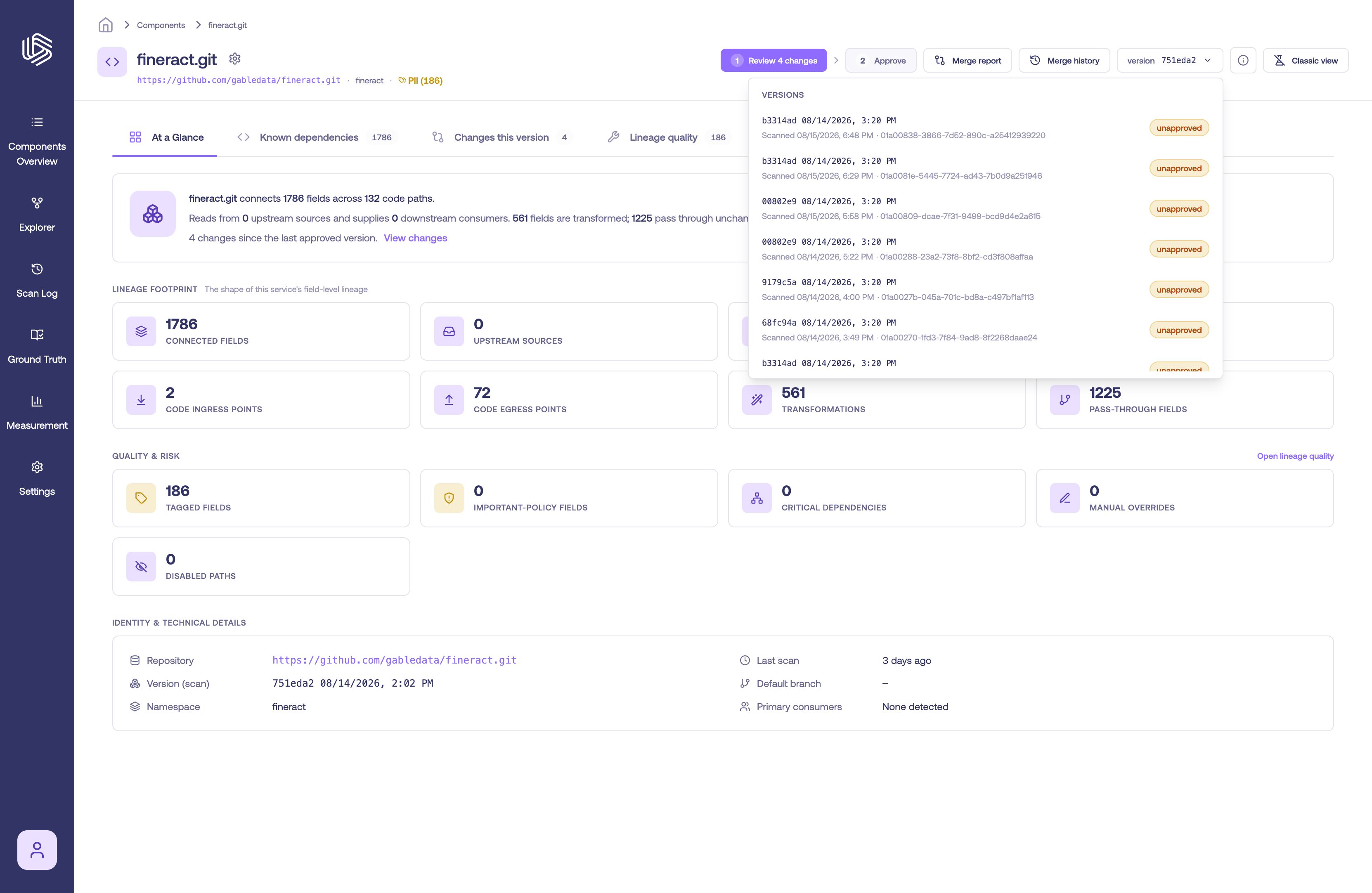
Approval badges in the version selector