

Open the Changes this version tab
On a component’s Component Details page, select the Changes this version tab. The badge on the tab shows how many changes are in the selected version.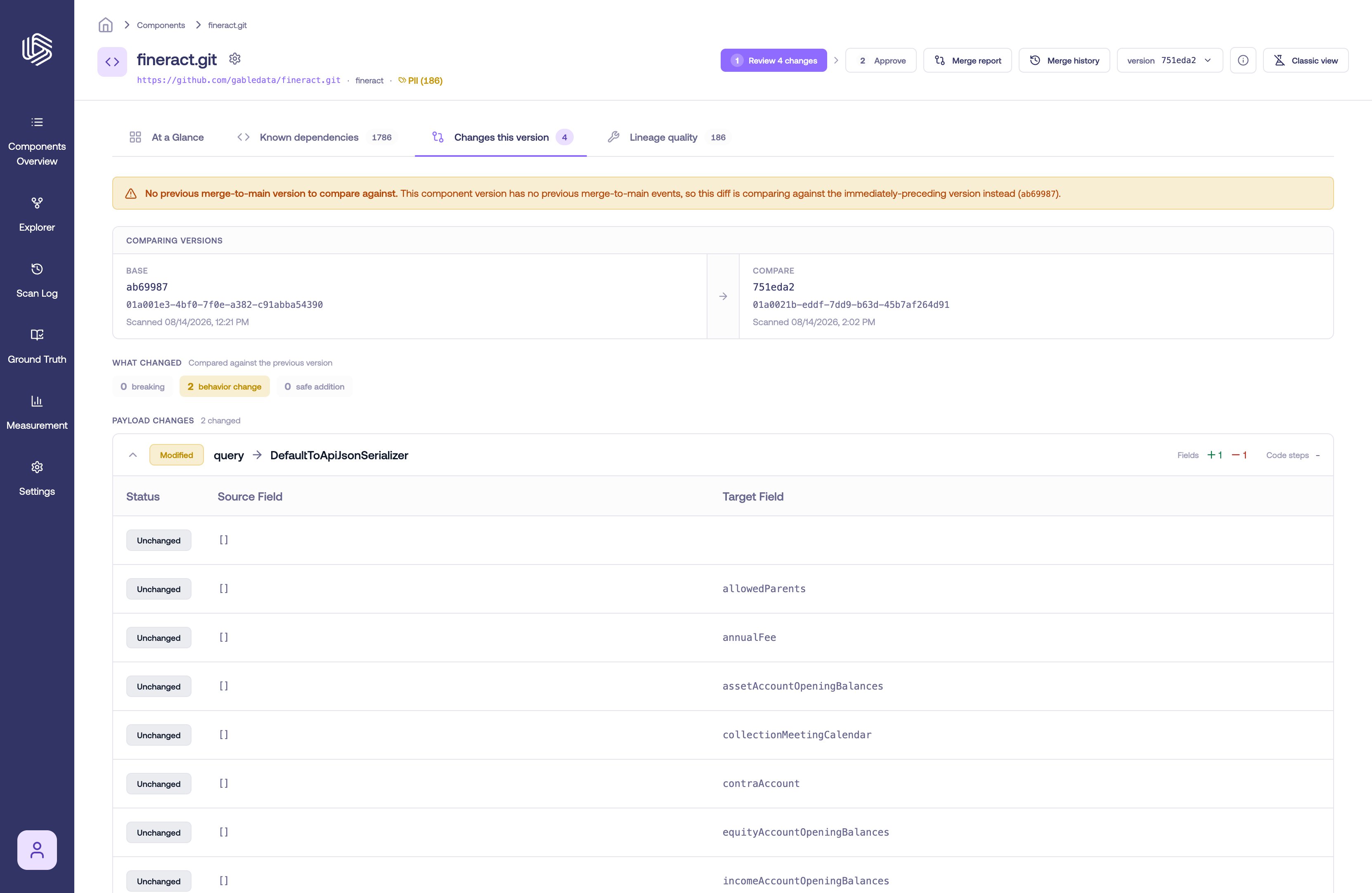
The Changes this version tab
Versions being compared
The tab compares the selected version against the previous merge-to-main version. If the component has no earlier merge-to-main version, it compares against the immediately-preceding version instead and shows a note saying so. The Comparing versions header shows both sides of the comparison — the base version on the left and the compare (selected) version on the right — each with its short version ID and scan time.What changed
The What changed summary classifies the changes by how much they affect downstream consumers:- Breaking — a change that can break downstream consumers, such as a removed or restructured output field.
- Behavior change — a change to how a field is produced that isn’t strictly breaking.
- Safe addition — new lineage that doesn’t affect existing consumers.