

Before you begin
Lineage export through the UI is limited to lineage for the fields you have selected or filtered to. You can export the complete lineage data for a run — components, schemas, and edges — via the Lineage Export API.If the Export CSV button is not available in your workspace, contact Gable to have lineage export enabled.
Export lineage for a field
- Open Lineage Explorer.
- Search for the field you want to inspect.
- Select the field from the search results. You can select multiple fields to include all of them in one export.
- Export the lineage as a CSV file by clicking the Export CSV button.
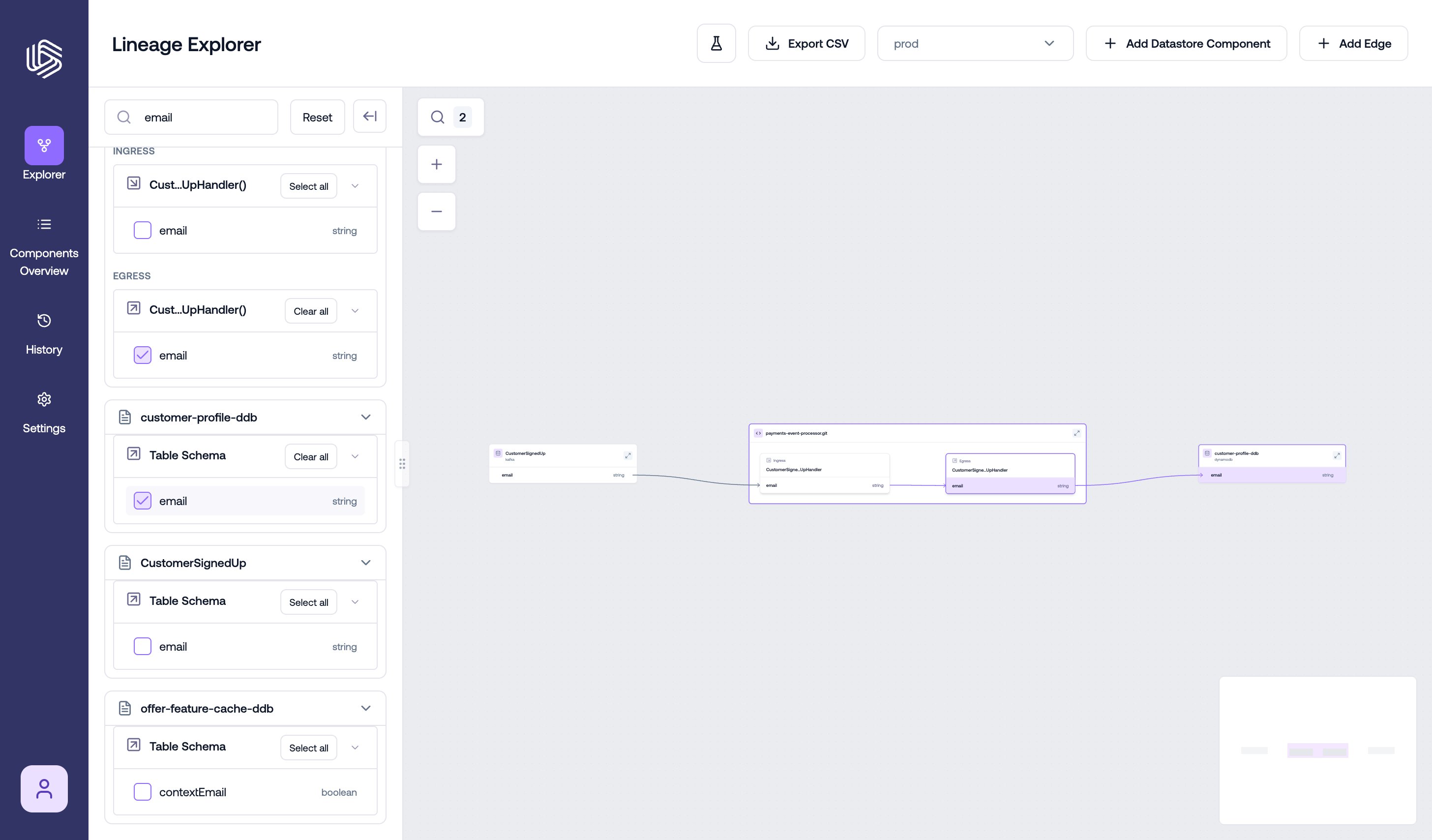
Exporting field lineage to CSV from Lineage Explorer
How to read the CSV
The exported CSV includes the lineage upstream of the selected fields. This means the export shows the sources, transformations, and intermediate assets that feed into the fields you selected. Each row in the CSV represents one upstream lineage path for a selected field. The file includes these columns:- Path ID — a unique identifier for each lineage path
- Direction — the lineage direction included in the export, such as
upstream - Hop 0, Hop 1, Hop 2, … — each step in the lineage path, listed in order
Read each row from left to right.
- Hop 0 is the field you selected in Lineage Explorer
- Hop 1 is the asset directly upstream of that field
- Hop 2 and later hops show additional upstream dependencies
Understanding lineage paths
A lineage path shows how data flows from an upstream source to the selected field. For example, one row might show:- the selected field in Hop 0
- a directly connected upstream field in Hop 1
- an intermediate mapped or transformed field in Hop 2
- a source table field in a later hop
Understanding asset names
Each hop contains the name of an asset in the lineage path. In many cases, the value includes both the asset name and its type in parentheses. These labels help identify the role each asset plays in the lineage path. Examples of asset types include:- (table) — a table-based asset
- (ingress) — an incoming interface or input field for a service or other code component
- (egress) — an outgoing interface or output field for a service or other code component
Export lineage via the API
To export all lineage data for a run rather than selected fields, use the Lineage Export API:gable lineage export.