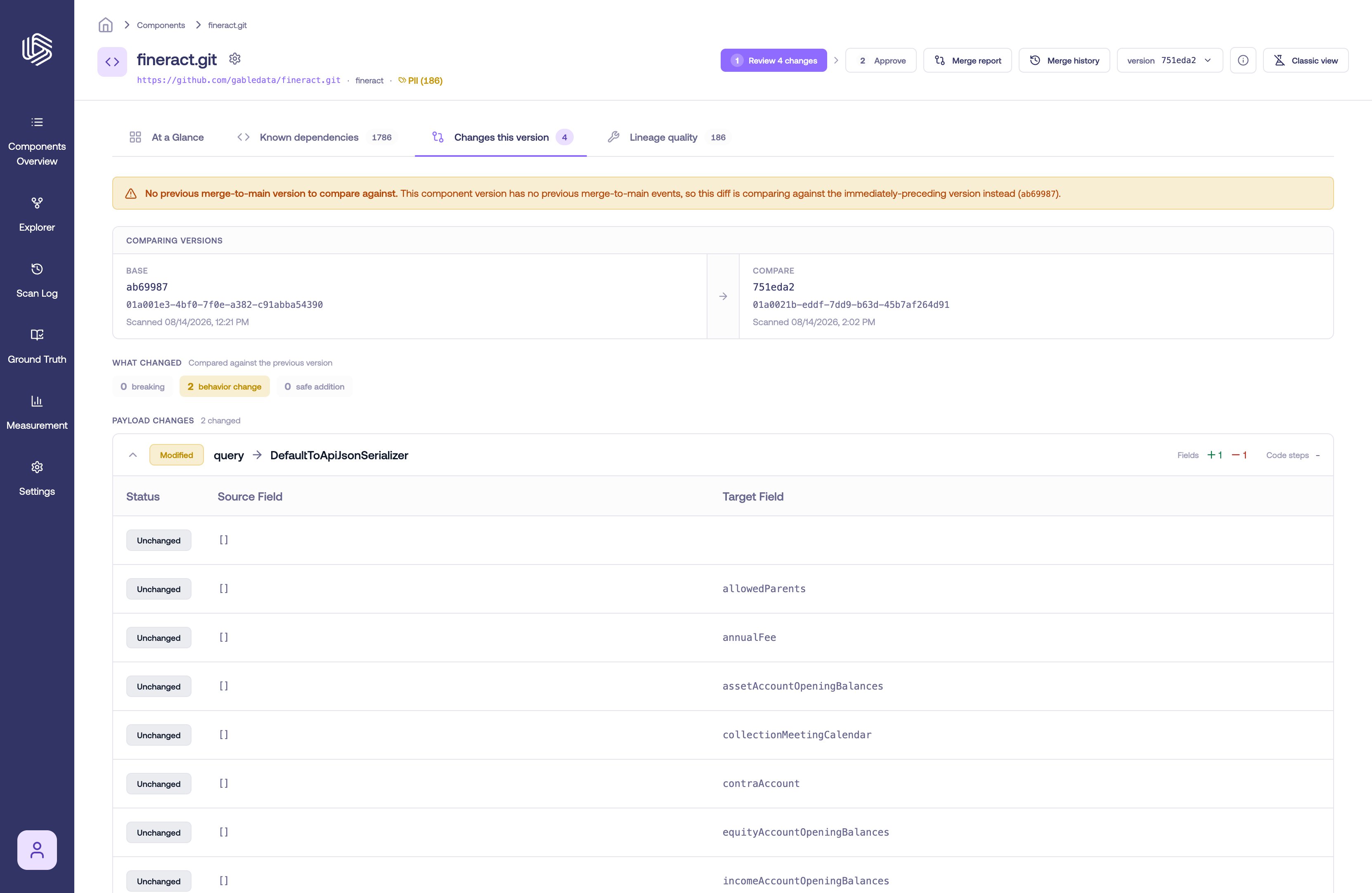
Every time Gable analyzes a component — for example, on a merge to your main branch or a pull request scan — it records a new component version. Compare two versions to understand how lineage changed between them: over time on the main branch, or to review the lineage impact of a specific pull request.
If version comparison is not available in your workspace, contact Gable to have it enabled.

Understanding component versions

Version information is shown in the version selector on the Component Details page. Each version includes:
  • Version and Run ID — identifiers for the analysis run that produced the version
  • Event — what triggered the run, such as a merge to main or a pull request scan
  • Commit time and Scan time — when the code was committed and when it was analyzed
The most recent version carries a Latest badge.

Compare versions of a component

  1. Go to Component Details for the component you want to review.
  2. In the Component version selector, choose the version you want to compare from. By default, this selection uses the latest version. Version information includes the commit timestamp.
The component version selector

Selecting a component version

  1. In the second selector, choose the historical version you want to compare against. To understand lineage changes over time on the main branch, select another version whose Event is a merge to main.
Selecting a version to compare against

Selecting a version to compare against

  1. Select Compare.
After selecting Compare, Gable opens the Compare Versions view for the two selected versions.

Review the lineage impact of a pull request

  1. Go to the Scan Log.
  2. Search or filter for the run you want to review. You can search and filter by fields such as component, branch, commit hash, and event type.
  3. Select the pull request run you want to view. This opens Component Details for that version.
  4. In the Component version selector, confirm the pull request version is selected.
  5. In the second selector, choose the version to compare against. To understand what changed in the pull request, select the prior version whose Event is a merge to main.
  6. Select Compare.
After selecting Compare, Gable opens the Compare Versions view showing the differences between the pull request version and the selected main-branch version.

Interpreting the comparison

Use this workflow to understand what changed between the two selected versions.
  1. Review the summary and the Path Changes table. The summary shows how many paths were added, removed, and modified. The table lists paths categorized by change type:
    • Unchanged — the path exists in both versions with no detected changes
    • Added — the path exists in the newer selected version but not in the comparison version
    • Removed — the path exists in the comparison version but not in the newer selected version
    • Modified — the path exists in both versions but has changes
    The table also summarizes the impact to Field Flows and Code Steps for each path.
The Compare Versions view with the Path Changes table

The Path Changes table in the Compare Versions view

  1. Choose whether to include user overrides. Use the Exclude user overrides toggle for a pure comparison of code-derived lineage changes. Leave it off to understand how the complete lineage — including human-authored edits — changed over time.
  2. Open the path diff for a path. Select a path in the table to see a field-mapping-level breakdown of its changes, organized into Field Mappings, Code Flow, and Field Data Flow sections.
  3. Select a field mapping. Selecting a field mapping shows the changes to the field data flow for that mapping.
A path diff with a modified field mapping selected

A path diff showing field mapping changes

Important notes

For understanding lineage changes over time on your main branch, compare two merge-to-main versions. For reviewing pull request impact, compare the pull request version against the prior merge-to-main version.
Versions can also be listed and compared from the command line — see gable lineage component versions and gable lineage compare.